

Manually tracking which client just closed a deal, renewed a contract, or hit a service anniversary — then remembering to order and ship a gift — is the reason client appreciation gifting programs die inside the first quarter. Connect your CRM to a gifting workflow instead, so a stage change in HubSpot, Salesforce, or Pipedrive triggers a Caftari gift set automatically, with the right SKU and the right address, every time.
- CRM client appreciation gifting works by triggering a Zapier action off a CRM field change — deal stage, milestone tag, or renewal date.
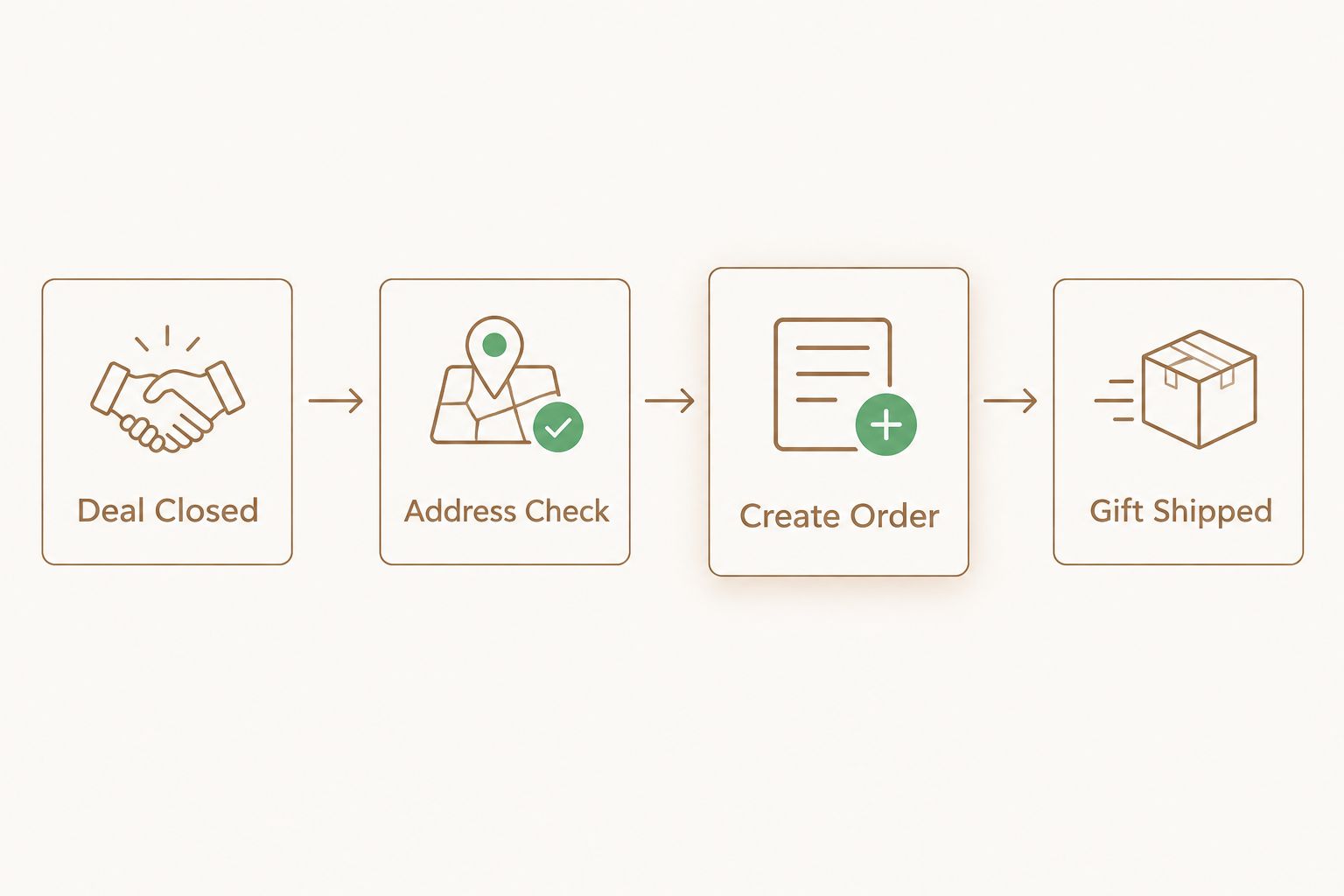
- Caftari Signature Gift Set ships as an automated order once the trigger fires and the shipping address is validated.
- The most common failure is a missing or incomplete mailing address field in the CRM record, not the Zap itself.
- Filter steps in Zapier stop duplicate sends when a deal stage toggles back and forth.
- Use a second trigger for renewal dates or anniversaries to run the same workflow on a recurring basis.
Why this matters
A gifting program that depends on someone remembering to place an order will stop running within a few months — sales reps get busy, account managers move on, and the manual step gets skipped. Automating a gift send when a client signs removes the human step entirely: the CRM field change is the only trigger the workflow needs.
This matters more for firms running client appreciation gifting at volume — law firms, advisory practices, agencies — where dozens of deals close in a given month and consistency is the actual deliverable. A missed gift reads as inattentive; an automated one reads as process.
Before you start
- CRM admin access with API or Zapier permissions. Most mid-tier HubSpot, Salesforce, and Pipedrive plans support this, but check your specific tier before building the Zap.
- A confirmed mailing address field on the CRM contact or company record. Deal records often store a billing address but not a shipping address — this is the single most common reason automated gifting orders fail silently.
- A Shopify account with order-creation permissions, either through Zapier's native Shopify app or a connected app with API access.
The gotcha: if your CRM's address field is a single free-text block instead of separate street/city/state/zip fields, Zapier's mapping step will choke on it. Split the field or add a custom property before you build the trigger, not after the Zap fails on your first live send.
Set up your CRM trigger
- In your CRM, open the automation or workflow builder and create a new trigger on Deal Stage (or the equivalent milestone field — Salesforce calls it Opportunity Stage).
- Set the trigger condition to fire when the stage changes to a specific value, such as Closed Won or Contract Signed — never on stage change generally, or every stage move fires the gift.
- In Zapier, choose your CRM as the trigger app and select the event Deal Stage Changed (naming varies slightly by CRM — HubSpot uses Deal Stage Updated).
- Run Zapier's Test trigger step and confirm it pulls a real sample deal, including the contact name and address fields.
Expected result: Zapier shows a populated sample record with the client's name, company, and full shipping address pulled through. If the address field is blank in the test, stop and fix the CRM field before moving to the action step.
Configure the gifting action in Shopify
- Add a Zapier action step and select Shopify as the app.
- Choose the action Create Order (not Create Draft Order unless you want manual review before each gift ships).
- Map the Line Items field to the gift SKU — for a standard client appreciation send, most programs use the Caftari Signature Gift Set, which pairs a candle and a rollerball perfume oil in one box.
- Map Shipping Address, First Name, Last Name, and Email directly from the CRM trigger fields — do not hardcode a placeholder address.
- Add an Order Tag such as "client-appreciation" so these orders are filterable in Shopify admin separately from retail orders.
- Turn the Zap on and monitor the first three to five live sends manually before trusting it fully.
Expected result: a new Shopify order appears within seconds of the CRM stage change, tagged correctly, with the gift SKU and a validated address attached.
Second workflow: renewal dates and client anniversaries
The same architecture runs on a date field instead of a stage change. Set the CRM trigger to fire off a Renewal Date or Client Start Date property, calculated to fire 12 months out, and route it to the same Shopify action. This variant is the one most firms add second, once the closed-deal Zap is stable, and it runs on a recurring schedule rather than an event.
A related build worth reviewing before you scale this: connecting corporate gifting to an HR onboarding workflow uses the identical trigger-to-Shopify structure, just fired off an HR system instead of a CRM. If you're running both employee and client gifting programs in 2026, build them as parallel Zaps rather than one shared automation — mixing SKUs and budgets across two use cases makes reporting harder later.
Troubleshooting
- The order creates but the address is blank. The CRM field mapped in Zapier is a different field than the one populated on the actual contact record — re-check the field name in the CRM, not just in Zapier's dropdown.
- The same client gets two gifts. The deal stage moved back and then forward again, firing the trigger twice. Add a Filter step in Zapier that only allows the Zap to continue if the deal ID hasn't triggered in the last 30 days.
- Wrong gift set ships. The Line Item mapping points to a variant ID that changed when the product was updated in Shopify — re-select the variant in the Zap action step after any product edit.
- The Zap doesn't fire at all. Check that the CRM automation permissions weren't revoked after a plan downgrade — this is common when a CRM seat gets moved to a lower tier mid-year.
- Gift ships but no one internally knows it happened. Add a second Zapier action — a Slack or email notification to the account manager — running in parallel with the Shopify order creation.
“If your CRM's address field is one free-text block instead of separate street and zip fields, fix that before you build the trigger, not after the first order fails.”
Customize your workflow
Once the base Zap runs clean, expand it rather than leaving it static:
- Swap the default gift SKU by client tier — a rollerball perfume oil bundle for smaller accounts, the full Signature Gift Set for larger ones.
- Add a conditional path so law firm and advisory clients route to the candle gift sets built for law firms and advisors, which uses a lower-intensity scent profile suited to office environments.
- Layer in custom packaging or corporate branding for volume programs — this is a separate conversation with the gifting side of the business, not a Zapier setting.
Build your gifting program
Pick the gift sets your automation will send before you finish the Zap.
FAQ
What is CRM client appreciation gifting automation?
It's a workflow that triggers an automatic gift order the moment a CRM field changes, such as a deal moving to Closed Won. Zapier connects the CRM event to a Shopify order-creation action, removing the manual step of remembering to send a gift.
Can I connect HubSpot or Salesforce directly to Shopify for gifting?
Yes, both connect through Zapier's native apps without custom code. HubSpot uses a Deal Stage Updated trigger and Salesforce uses an Opportunity Stage Changed trigger, both mapped to Shopify's Create Order action.
Do I need Zapier specifically, or can I use another automation tool?
Zapier is the most common connector for this workflow in 2026 because both major CRMs and Shopify have native Zapier apps, but Make and native CRM webhooks can achieve the same result if you're comfortable with more manual field mapping.
How do I stop duplicate gifts from the same trigger?
Add a Filter step in Zapier that checks whether the same deal ID has already triggered the automation within a set window, such as 30 days. Without this filter, a deal stage that moves back and forth fires the gift each time.
What gift works best for a CRM-triggered client appreciation send?
A gift set that ships as a single SKU with no size or scent decision needed at send time works best for automation, since the workflow can't make subjective choices. The Caftari Signature Gift Set is built for this — one variant ID, no manual selection.
Should the trigger fire on contract signing or deal closing?
Fire it on whichever CRM field is updated first and most reliably in your process — for most sales teams that's Closed Won, but for law firms and advisory practices it's often a signed engagement letter field instead.
Can I run separate gifting workflows for clients and employees?
Yes, and it's the recommended setup. Run them as two separate Zaps with different triggers and different budgets, since client appreciation gifting and employee milestone gifting usually need different reporting.
What's the most common reason an automated gifting Zap fails?
An incomplete or single-field mailing address on the CRM contact record. The Zap itself usually works; the address data behind it is what's missing.
One last thing
The automation is the easy part — most CRM client appreciation gifting programs fail on the address field, not the Zap logic. Run a manual audit of 20 recent CRM contact records before building anything: if more than a handful are missing a complete shipping address, fix the data first. An automated workflow feeding bad addresses just automates the failure faster.


