

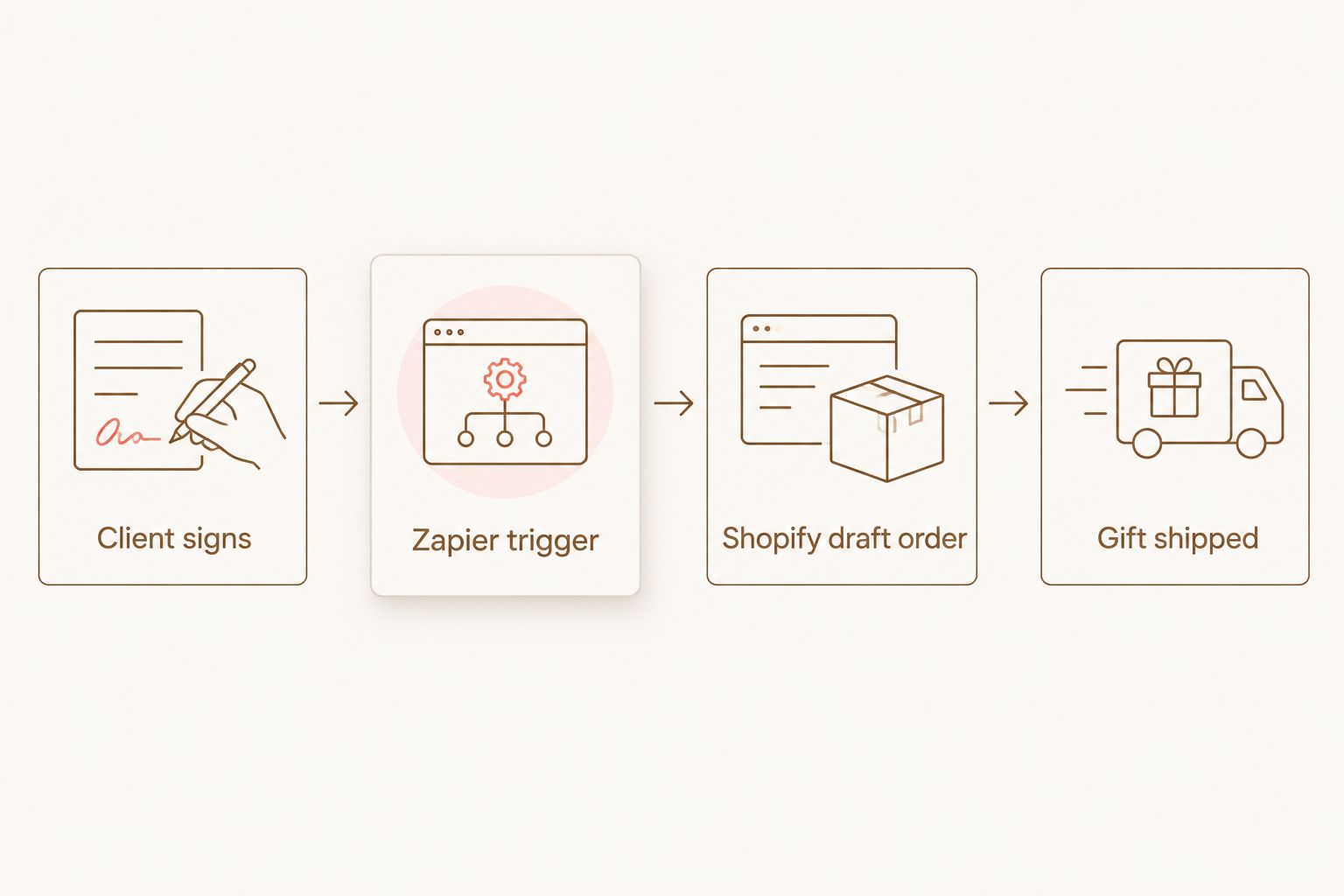
Manually remembering to order and ship a candle gift every time a new client signs breaks down after the third or fourth matter that month — someone forgets, the gift arrives two weeks late, and the goodwill it was supposed to build never lands. Connect your e-signature or intake tool to Shopify through Zapier so a draft order for a Caftari gift set gets created the moment a client signs, with zero manual steps after setup.
- Automated client gifting for law firms in 2026 runs on a Zapier zap linking your e-signature tool to Shopify draft orders.
- DocuSign, PandaDoc, and Clio all support a signed-document or matter-opened trigger that Zapier can read.
- The Caftari Signature Gift Set works as a default send-to-all pick; the Best Seller Bundle works as a lighter alternative for smaller matters.
- Test the zap with a real signature before turning it on for live client documents — draft orders skip fulfillment by design.
Why this matters
A law firm that sends 15-30 signed engagement letters a month doesn't have staff time to individually source, box, and ship a gift for each one. The gap between "we should send something nice" and actually doing it is almost always operational, not budgetary. Automating the trigger removes the one step that gets skipped when a paralegal is buried: remembering.
This also standardizes what gets sent. Instead of one assistant grabbing whatever's on Amazon Prime and another sending nothing, every signed client gets the same non-toxic candle or perfume oil gift, on the same day, without anyone adding it to a to-do list. The candle gift sets for law firms and advisors guide covers which sets fit client-facing gifting specifically — this guide covers how to make the sending automatic.
Before you start
- A Zapier account (the free tier caps at 100 tasks a month, which is enough for most solo and small firms; multi-partner firms should check volume against the paid tiers).
- Admin access to your e-signature tool (DocuSign, PandaDoc, or HelloSign) or your practice management CRM (Clio), plus admin access to your Shopify store.
- The gotcha: Shopify draft orders do not auto-fulfill or auto-charge by default. If you want the gift to actually ship without a human touching it, you need to either mark the draft as paid automatically in the zap or accept that someone still confirms and fulfills the order manually. Decide which model you want before you build the zap — it changes which action step you configure in step 2.
Set up your signing trigger
This is the event that starts everything. Pick the tool that already sits at the end of your intake process.
- In Zapier, click Create Zap.
- Search for your e-signature tool as the trigger app — for DocuSign, choose the Envelope Completed trigger; for PandaDoc, choose Document Completed; for Clio, choose Matter Opened if you want the trigger tied to case creation instead of signature.
- Connect your account when prompted and select the specific template or envelope type used for engagement letters, so the zap doesn't fire on unrelated documents.
- Click Test trigger and confirm Zapier pulls in a real completed document, including the client's name and email.
Expected result: Zapier shows a green checkmark next to the trigger step and displays sample data with the signer's name and email address populated.
Configure your Shopify draft order action
- Click the + button to add an action step and search for Shopify.
- Choose Create Draft Order as the action event.
- Connect your Shopify store if it isn't already linked.
- In the Customer field, map the signer's name and email from the trigger step — click the small lightning-bolt icon next to the field and select the corresponding data point from step 1.
- Under Line Items, select the gift product you want sent by default. The Caftari Signature Gift Set works well as a firm-wide default because it doesn't require choosing a scent per client.
- Leave Send Invoice off if you plan to cover the cost internally, since sending an invoice bills the client for their own gift.
- Click Continue, then Test action.
Expected result: a new draft order appears in Shopify admin under Orders > Drafts with the client's name attached and the gift set as a line item.
Map client and gift details
- Go back to the trigger data and check whether your e-signature tool captures a shipping address field on the engagement letter. If it does, map it into the Shopify draft order's Shipping Address field.
- If no address field exists in the signed document, add a short custom field to your intake form asking for a mailing address, and pull that into Zapier as a second data point.
- Add a note field in the draft order (Shopify's Note field on the order) with something like "Auto-gift: new client signed [date]" so anyone reviewing drafts later understands why the order exists.
- Turn the zap On.
Expected result: every new signed engagement letter that matches your filter produces one draft order in Shopify with a shipping address attached, ready for fulfillment.
Send a gift when a retainer invoice clears instead of on signature
Some firms prefer to trigger the gift after the retainer is paid rather than at signature, since a signed letter doesn't always mean the matter is actually moving. If your billing runs through Clio or QuickBooks:
- Build a second zap using Invoice Paid (Clio) or Payment Received (QuickBooks) as the trigger instead of the signature event.
- Repeat the same Create Draft Order action from Shopify, mapping the client's name and address from the invoice record.
- Consider a lighter gift for this trigger — the Best Seller Bundle works as a lower-cost alternative to the full signature set when the trigger is retainer-based rather than matter-based, since retainer clients sometimes overlap with signature-trigger clients if both zaps run at once.
Run only one of the two triggers per client type to avoid duplicate gifts going to the same person.
Troubleshooting
- Draft order created but never ships. Shopify draft orders sit idle until someone clicks Mark as paid and fulfills them. If you want zero-touch shipping, add a Zapier Delay step followed by a Mark Draft Order as Paid action — but confirm your accounting workflow supports auto-marking orders paid before turning this on.
- Missing shipping address stops the zap. If your e-signature template doesn't reliably capture an address, the draft order action will still fire but the address field comes through blank. Add a required field to the signing template rather than trying to fix it downstream.
- Duplicate gifts on resent documents. If a document gets voided and resent for a correction, most e-signature tools fire the completed trigger again. Add a Zapier Filter step that checks for a unique document ID you haven't seen before.
- Zap runs in test mode against a live store. Always test with a real internal signature first, and delete or cancel the resulting draft order in Shopify before turning the zap on for actual clients.
- Task limits get hit mid-month. Firms signing more than roughly 100 clients monthly on Zapier's free tier will need a paid plan or the zap will silently stop running once the task cap is reached.
Customize your workflow
Once the base zap runs reliably, a few firms extend it further:
- Route different gift sets by practice area — a Nidra Rollerball Candle Bundle for family law or personal injury clients where a calming gesture fits the moment, versus a lighter set for corporate or transactional clients.
- Add a Slack or email notification step so the relationship partner knows a gift shipped and can follow up personally.
- Layer in a delay of 3-5 days after signature so the gift doesn't arrive before the client has even processed the engagement letter.
Browse gift sets before you build the zap
Pick the default product your automation will send.
FAQ
What is automated client gifting for law firms?
It's a workflow that connects a signing event, like a completed engagement letter, to an automatic order for a client gift, removing the manual step of remembering to send one. In 2026, most firms build this with Zapier connecting DocuSign or PandaDoc to Shopify.
Does Shopify automatically ship a draft order?
No. Shopify draft orders sit unfulfilled until someone marks them paid and fulfills them, so full automation requires an extra Zapier step or a person confirming each order.
Can I trigger a gift from Clio instead of an e-signature tool?
Yes. Clio supports triggers like Matter Opened or Invoice Paid in Zapier, which work as an alternative to using the signature event itself.
What happens if the client's address isn't captured at signing?
The zap still fires but the Shopify draft order will have a blank shipping address, so the safest fix is making the address field required on the signing template itself.
Is Zapier the only way to build this automation?
It's the most accessible option for firms without a developer, since it connects e-signature tools and Shopify without custom code, though larger firms sometimes build a direct API integration instead.
How do I avoid sending duplicate gifts?
Add a Zapier filter step that checks the document's unique ID against previously processed records, which prevents a resent or corrected document from triggering a second gift.
Which Caftari gift set works best for a law firm sending its first automated gift?
The Caftari Signature Gift Set works as a firm-wide default in 2026 because it doesn't require choosing a scent per client, which keeps the zap simple.
One last thing
The firms that get the most out of this setup don't over-engineer it — one trigger, one gift set, one zap, running quietly in the background. Add complexity (practice-area routing, delay timers, Slack alerts) only after the base automation has run clean for a month, because the more branches you build in before testing, the more places a client's address can silently drop out of the workflow.


